


Stock Screener
4.2747.00 Reviews
App Specs
- Version
- 2.29
- Updated On
- License
- Free
- Downloads
- 100,000+
- Developer
- Financept
- Categories
- Finance
- Platform
- Android
Screenshots
 Analysis by AppCompare
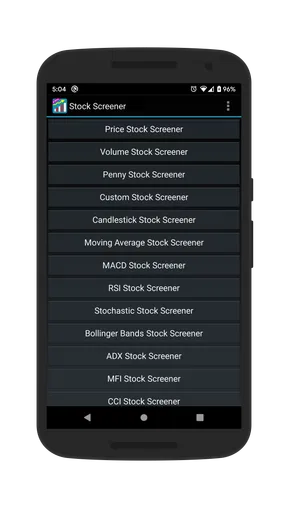
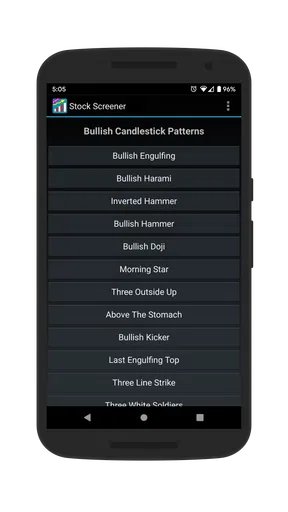
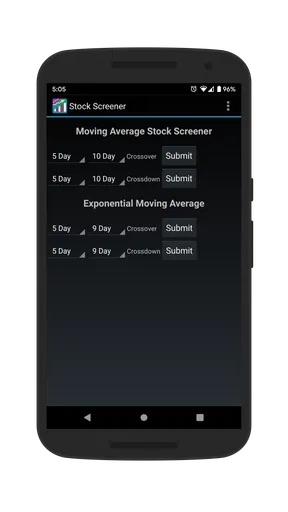
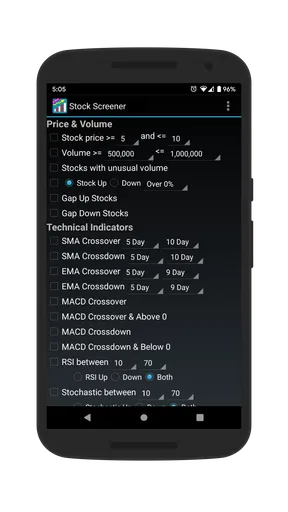
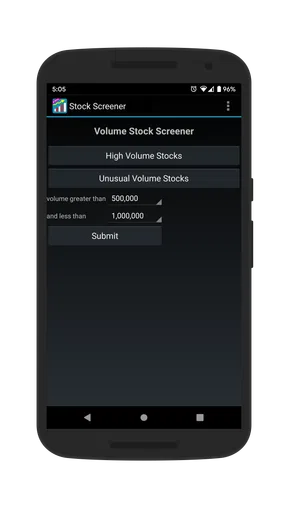
I found Stock Screener most useful as a focused research tool rather than a complete investing platform. It is a free finance app from Financept built around filtering US stocks with technical analysis, and that narrow purpose becomes clearer the first time you use it: instead of trying to be a brokerage account, news service, portfolio diary, and market community all at once, it concentrates on helping you reduce a large list of shares to a more manageable group.
That makes it particularly interesting in a household where more than one person follows the market. I can imagine one person using it on a shared tablet to prepare a watchlist before work, while another checks the same market ideas later in the day. The app can support that kind of discussion, but I would treat it as a personal research workspace, not a shared financial record. The distinction matters when several people use the same device or talk about the same stocks.
How Stock Screener fits into everyday stock research
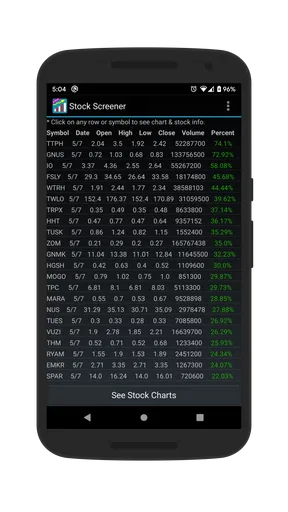
The basic appeal is straightforward: screening can save time. Rather than opening individual stock pages one after another and manually comparing technical signals, I can begin with a broad universe of US shares and narrow it according to the conditions I care about. That is a better starting point for a short research session than browsing randomly through market headlines.
In practical use, I would open the app with a question already in mind. For example, I might want to find shares showing a particular technical pattern, or I might be looking for candidates that fit several conditions at once. The important habit is to use the filters as a first pass, not as an automatic buy list. A screen can identify possibilities, but it cannot replace reading financial statements, checking company news, or deciding whether a risk suits me.
The app’s technical-analysis focus also gives it a different role from a conventional brokerage app. A brokerage is usually where I place orders, monitor holdings, and review account balances. Stock Screener is better positioned earlier in the process, when I am deciding which names deserve further attention. If I already have a broker I like, this app can sit beside it as a discovery tool rather than trying to replace it.
I would also avoid treating a technical result as a prediction. A stock may meet a screen because of recent price behavior, yet the underlying business may be facing a serious problem. Conversely, a strong company may fail a short-term technical filter and never appear in the results. I see the app as a way to organize my questions, not answer every investment question for me.
A realistic shared-device routine
Here is the kind of household routine where I think it can work well. Suppose I have ten minutes before dinner and want to prepare a few stocks for a conversation with a partner. I can run a screen, note which names deserve a closer look, and then explain why each one appeared. My partner can later repeat the process from the same device and challenge the assumptions behind the list.
Worth Reading Before You Choose

EA SPORTS FC Mobile 26 Is a Bigger Football Game, but It Takes Time

Flipboard Shows What News Apps Must Do Beyond the Feed

Switching to Android Auto Means Rethinking Your Driving Routine

Google Calendar Makes a Crowded Week Easier to Manage

Ludo King Makes the Most of the Minutes Between Plans

Baby Panda World Brings Quick Play to Modern Phones, but Its Game Library Feels Busy
That workflow is more useful than passing around a vague message such as “this stock looks promising.” The screen creates a common starting point for discussion. We can ask whether the chosen filters make sense, whether the result is too narrow, and whether the same company still looks interesting after considering its business and valuation.
There is a practical limitation, though: a shared device does not automatically mean a shared workspace. I would not assume that one person’s selections, notes, or preferences represent another person’s investment view. If the app is being used by two adults, I would keep a simple separate note outside the app for each person’s reasoning. That prevents a quick screening experiment from being mistaken for an agreed household decision.
This is one of the less obvious strengths of a screening app: it can improve the quality of a conversation without making the decision for anyone. The weakness is that the same concise results can create false confidence if people skip the explanation behind the filters.
Setting boundaries before using it together
Because this is a finance app, I would establish boundaries before putting it on a shared phone or tablet. The most important rule is that seeing a stock on the screen is not the same as owning it, recommending it, or approving a trade. That sounds obvious, but quick visual results can be persuasive, especially when someone is unfamiliar with technical indicators.
I would also agree on who is allowed to use the app for research and who is responsible for any action taken elsewhere. Stock Screener is not the place I would rely on for a household ledger or a record of contributions. If one person uses it to generate ideas and another person controls the brokerage account, both should understand that the app’s output is only one input into the process.
On a shared device, I would avoid leaving a research session open where a child or guest could mistake it for a game or tap through unfamiliar financial screens. The content rating is Everyone, which makes the app broadly accessible from an age-classification standpoint, but that does not mean every result is suitable for a child to interpret independently. Financial context still needs an adult explanation.
The app is free to install, with optional in-app purchases listed from $2.79 to $9.99 per item. In a shared household, I would make sure everyone knows that free access and optional purchases are separate issues. A person testing the app should not assume that every paid option is necessary, and a device owner should know who is making any purchase before it happens.
What the setup tells me about its best audience
The app supports Android devices running version 6.0 or later, so it is not restricted to only the newest phones and tablets. That is helpful for a household that keeps an older device for occasional research. Still, compatibility alone does not make the experience equally comfortable on every screen. A larger display is likely to be more practical when several filters or results need to be compared, while a phone is better for a quick check.
I would begin with a deliberately small screening idea instead of activating every available condition at once. Start with one or two questions, inspect the result, and then add another filter only if the list is still too broad. This makes it easier to understand why a stock appeared. It also prevents the common mistake of creating a highly restrictive screen that produces very few names without revealing whether the conditions are genuinely useful.
A second useful habit is to save the reasoning, not just the result. If I find an interesting group of stocks, I would write down the date of the screen, the filters I used, and what I intended to investigate next. That record helps me distinguish a repeatable process from a lucky result. It is especially valuable when two household members use the same device and need to understand how a list was created.
I would not install it expecting a full account-management experience. Its identity is much closer to a technical stock screener than to a bank or broker. If my main need is tracking deposits, calculating household allocation, or placing trades, I would choose a dedicated financial service instead and use this app only if I also want technical filtering.
Coordinating research without confusing responsibility
For couples, roommates, or adult family members, the app can make market research more structured. One person could create a screen based on trend conditions, while another checks the resulting companies using a separate source of fundamental information. That division of labor is sensible because it stops one tool from becoming the entire research process.
I like the idea of assigning questions rather than assigning stocks. Instead of saying, “You investigate this company and I will buy it if you like it,” the household can ask, “Why did it pass the screen?” or “What would make this result misleading?” This keeps the conversation analytical and reduces the pressure to turn a technical result into an immediate decision.
There is also a useful trade-off between speed and transparency. A screen can produce a shortlist quickly, but the more filters I use, the harder it may be for another person to understand the logic at a glance. When coordinating with someone else, I would favor a simple screen that can be explained in one sentence over a complicated combination that only its creator remembers.
For a shared tablet, I would keep the device’s general privacy arrangements in mind. I would not use a common household screen as the only place to store sensitive financial information, and I would avoid assuming that app access creates separate identities for different users. The safest approach is to regard the results as visible research notes and keep private account details in the appropriate protected service.
Another practical tip is to compare the same screen at different times rather than reacting to one moment. Technical conditions change, and a result that looks compelling during a brief session may disappear later. Rechecking a shortlist can reveal whether the idea is stable enough to investigate or merely a temporary market snapshot. That does not make the app a forecasting tool, but it makes the screening process more disciplined.
Age, trust, and explaining the results
The Everyone content rating is reassuring for basic access, but I would still introduce the app differently depending on the user’s age. With a teenager, I might use it as a lesson in how filters work: changing one condition can alter the candidates, and a candidate is not automatically a good investment. With a younger child, I would keep the discussion educational and avoid presenting the results as instructions.
Trust is important because technical displays can look authoritative. If a family member is new to investing, I would explain that the app is showing patterns or conditions, not guaranteeing an outcome. I would also encourage them to ask what information is missing from a screen. Company debt, management quality, competitive pressure, and personal financial circumstances may matter even when a stock satisfies a technical rule.
This is where the app works best as a conversation aid. I can use a result to teach someone how to ask better questions, but I would not hand over a shortlist and call it a finished recommendation. That distinction is especially important when the person using the device has no experience with market losses or does not yet understand the difference between research and execution.
The developer, Financept, has kept the product focused on this stock-filtering role. Its current version is 2.29, and the app has been available since April 30, 2015. Those details give it a long presence in the category, while the current experience still feels most appropriate for users who want a direct screening utility rather than a broad social or educational finance suite.
Where it stands against familiar alternatives
Compared with a broker’s built-in stock search, this app may appeal to someone who wants a more dedicated technical-analysis workflow. A broker is usually stronger for account information and trading, while a specialist screener can feel more purposeful when the task is simply narrowing the market. I would still verify any result in my brokerage app before acting, because that is where I need the authoritative view of my holdings and orders.
Compared with a financial news app, Stock Screener is less about headlines and more about conditions. News services are useful for understanding what is happening and why a company is moving. A screener is useful for applying a consistent rule across many stocks. If I only want market news, this app would feel too narrow; if I want to turn a vague market idea into a repeatable search, it is more relevant.
Compared with a spreadsheet, the app is more convenient for quick filtering and less flexible for building a fully customized research model. A spreadsheet lets me combine personal calculations, notes, and household decisions in one place, but it requires more setup and maintenance. I would choose the app for rapid discovery and a spreadsheet for deeper comparisons that depend on my own formulas.
Compared with a long-term portfolio tracker, the difference is even clearer. A tracker answers questions about what I already own and how it is performing. Stock Screener helps me examine possible candidates. Neither tool replaces the other, and using the screener as if it were a portfolio manager would leave important gaps in my workflow.
Limitations I would consider before installing
The biggest limitation is the narrowness that also makes the app attractive. Technical analysis is useful for some strategies, but it is not enough for every investor. Someone building a retirement portfolio around broad diversification may gain little from repeatedly filtering individual US stocks. In that case, a portfolio tracker or a low-maintenance investing service would probably be a better fit.
I would also be cautious if I need extensive educational guidance. The app’s purpose is to screen, so a beginner may need another source to explain indicators, false signals, position sizing, and risk. Without that background, it is easy to treat a clean result as a strong conclusion. The app can speed up research, but it cannot supply the judgment that research requires.
The optional purchases are another point to approach carefully. I would first test the free experience and decide whether the workflow genuinely improves my research before paying for extras. In a shared household, paid features should be judged by the person who will use them regularly, not by someone who only wants to try the app once.
Finally, I would not make it the sole source for time-sensitive decisions. Market information can change, and a screening result deserves confirmation before I act. My preferred workflow would be to screen, investigate the companies elsewhere, check current information, and only then decide whether the idea belongs on a watchlist or deserves further professional advice.
My household verdict
Stock Screener earns its place when the goal is clear: finding and narrowing US stocks through technical analysis. I like it as a first-stage research tool because it gives a household a concrete way to discuss market ideas instead of relying on random tips. Its free entry point, Everyone rating, and support for Android 6.0 or later also make it easy to test on an existing device.
The app is a good match for an independent investor who already understands the limits of technical signals and wants a faster way to organize research. It can also work well for two adults sharing a device, provided they keep personal financial decisions separate and agree that screening results are not trade instructions. The most valuable use is collaborative questioning: why did a stock appear, what does the filter miss, and what should we verify next?
I would skip it if I want a brokerage replacement, a household budget manager, a complete portfolio record, or a guided investing course. I would also skip it if I am likely to interpret every technical result as a recommendation. For those needs, a broker, portfolio tracker, spreadsheet, or educational resource will serve me better.
With a 4.2 average from around 2.7 thousand ratings and more than 100 thousand installs, it has attracted a meaningful audience without changing its basic identity. My final view is positive but measured: use it to make stock research more systematic, not to outsource your judgment. In a shared home, that means setting clear boundaries, explaining the results honestly, and keeping the final financial responsibility with the person who makes the decision.
Pros
- Quickly filters stocks using customizable financial and technical criteria.
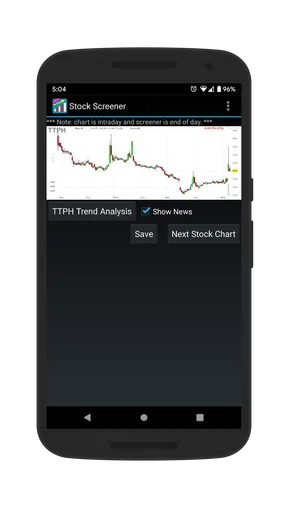
- Provides market data and charts in a convenient mobile interface.
- Useful watchlists help track selected companies and price movements.
- Supports research before investing without requiring multiple finance apps.
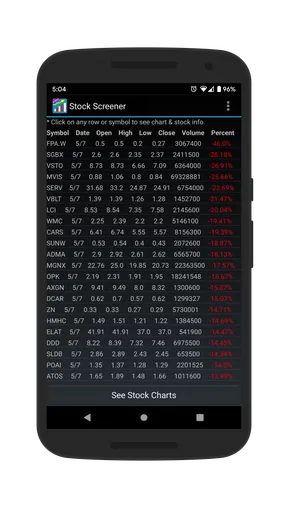
- Clean layout makes screening results relatively easy to browse.
Cons
- Some advanced features may require a paid subscription.
- Market data can be delayed depending on the exchange or plan.
- Large numbers of filters may feel overwhelming for beginners.
- Screening results depend on the accuracy of the selected criteria.
- Limited mobile screen space can make detailed analysis less comfortable.
FAQs for Stock Screener
What is Stock Screener, and who is it designed for?
Stock Screener is a research tool that helps users filter and discover stocks according to selected criteria, such as price, market capitalization, dividend yield, earnings growth, valuation ratios, sector, or technical indicators. It can be useful for beginners learning how to organize investment ideas as well as experienced investors comparing companies. However, it is primarily a screening and research app, not a substitute for professional financial advice or a complete portfolio-management service.
Can I use Stock Screener to buy and sell stocks directly?
In most cases, Stock Screener is intended for market research rather than direct trading. The app can help you identify companies that match your chosen filters and review information such as prices, charts, financial ratios, and market data, but orders generally need to be placed through a separate brokerage account. Before downloading, users should check the current app description and supported features, since availability may vary by platform, region, subscription level, and future updates.
How accurate and up to date is the information shown in Stock Screener?
The usefulness of Stock Screener depends heavily on the quality and timing of its market data. Some figures may be real-time, while others can be delayed, updated only at the end of the trading day, or based on the latest reported financial statements. During testing, users should treat displayed prices, ratios, and company data as research information and verify important details with an exchange, broker, company filing, or another trusted financial source before making an investment decision.
Does Stock Screener cost money, and are there premium features?
Stock Screener may be available as a free download, but certain advanced functions can require payment. Depending on the version, premium tools may include additional filters, expanded financial metrics, alerts, detailed charts, historical data, fewer advertisements, or access to more markets. Users should carefully review the pricing page, subscription terms, renewal conditions, and cancellation process before starting a trial, particularly because features and prices can differ between Android and iOS.
Is Stock Screener suitable for making investment decisions?
Stock Screener can make the research process faster by helping you narrow a large market into a manageable list of companies, but it should not be used as the only basis for investing. A screen reflects the criteria selected by the user and may overlook debt levels, management quality, industry risks, news, liquidity, or changing market conditions. Always perform additional research, consider your personal risk tolerance and investment goals, and remember that stock-market investments can lose value.


